Why the business wanted it
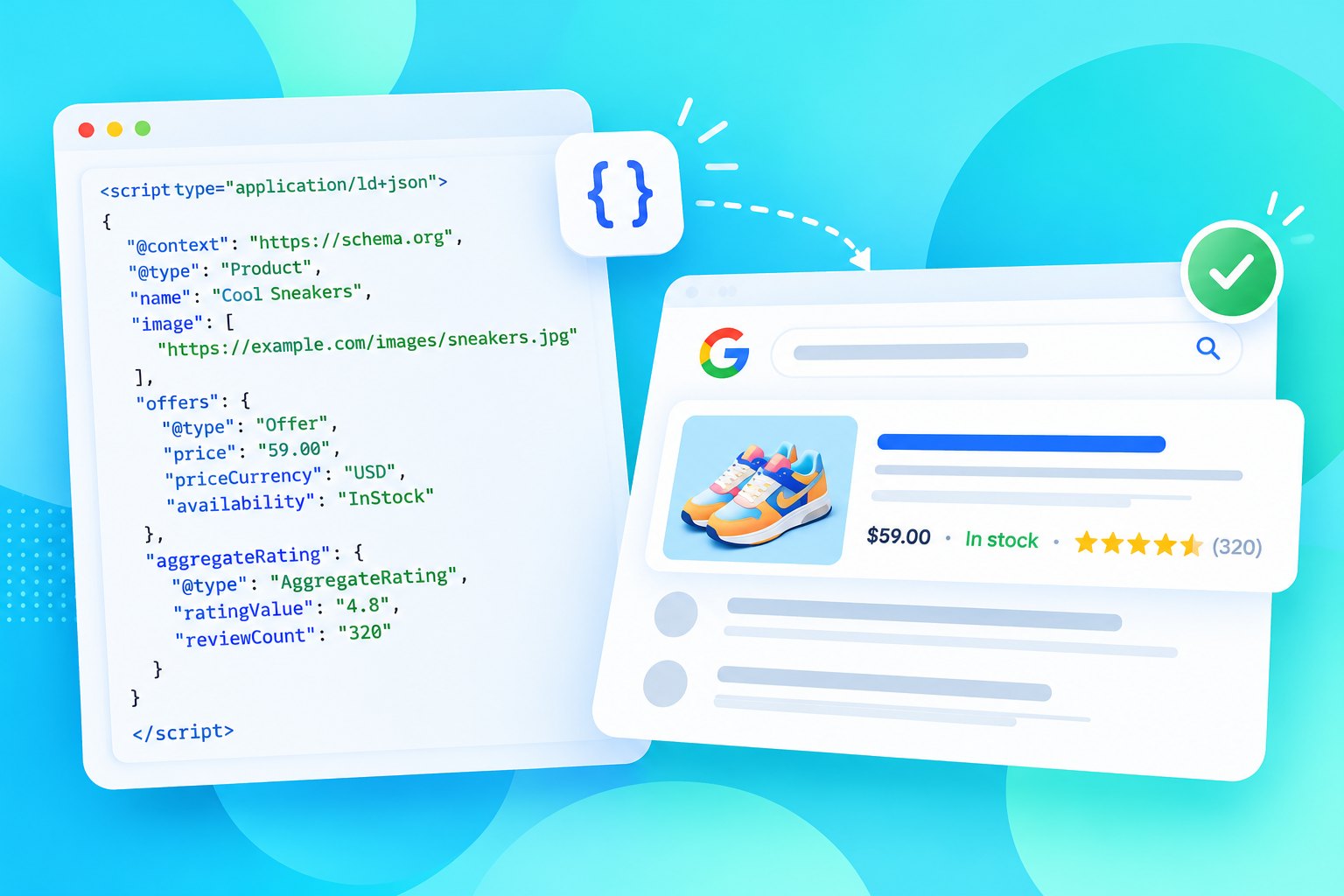
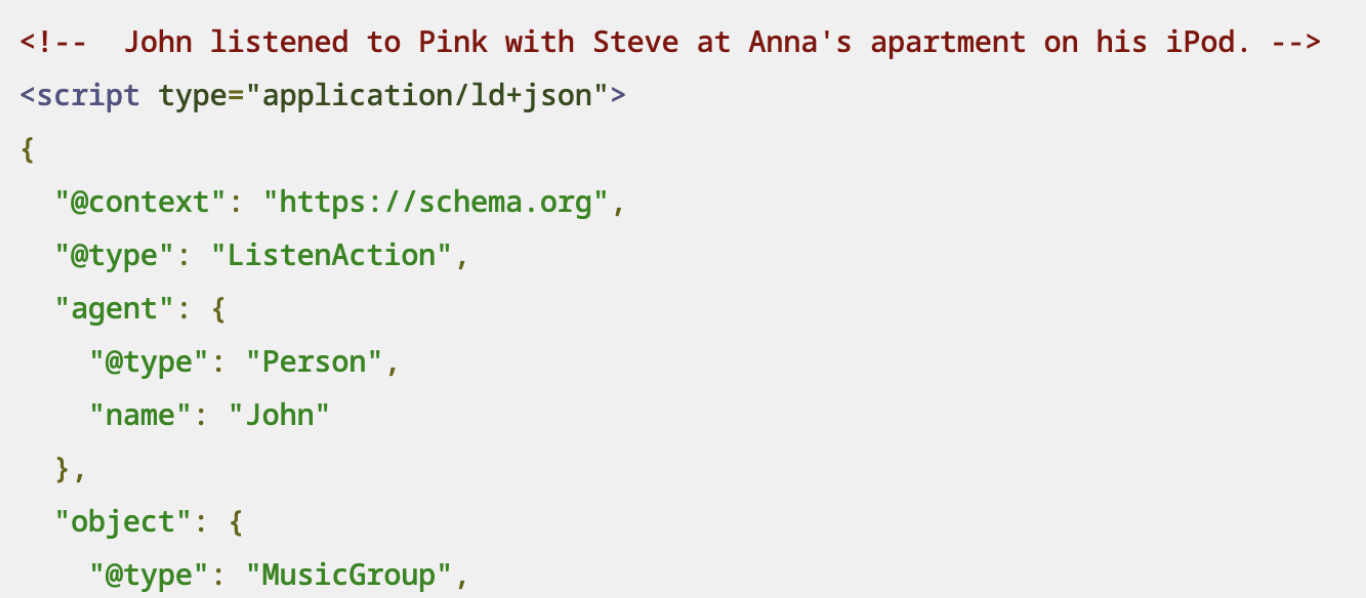
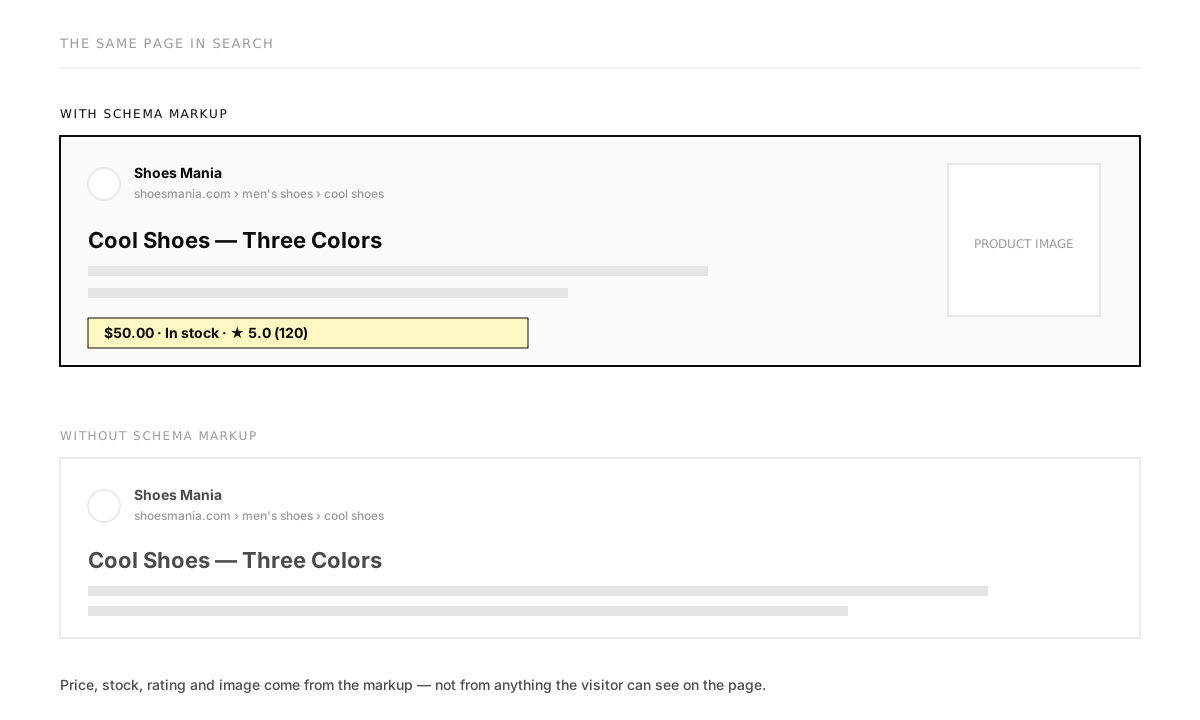
The product is a landing-page builder made for paid campaigns. Ad budgets were getting tighter, and AI assistants had started deciding what to show people based on structured data. Organic discovery became the cheapest growth channel left, and schema markup is how a page gets read correctly by search engines and AI.
There was a constraint too: the page builder itself was frozen for other work. Schema was the fastest way to strengthen SEO without touching it.
Nobody on the team had done this before
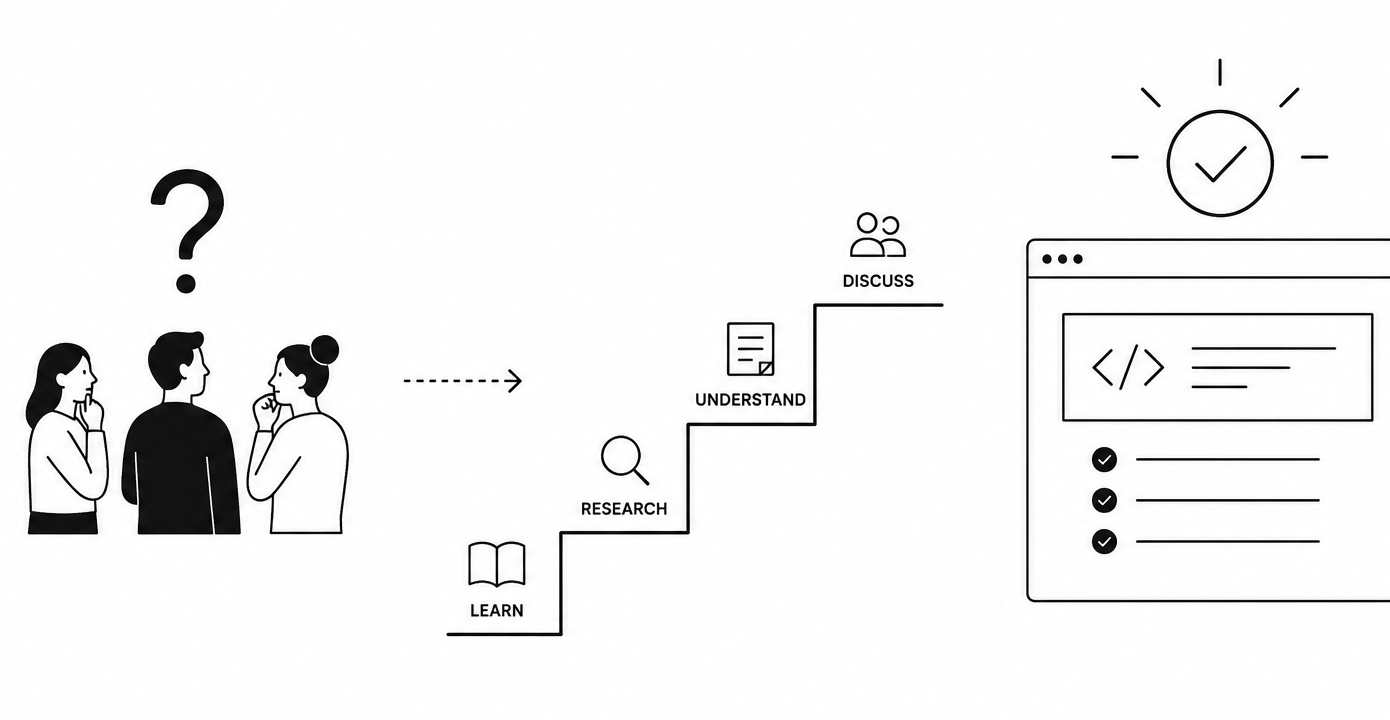
None of us had worked with schema. So before deciding what the UI should look like, I had to work out how we would learn enough to make good calls. We read the spec, talked to the SEO people we had access to, and agreed on one rule: nothing gets built until we've heard from the people who will use it.
Two users, opposite needs
Even before research, it was clear the feature had two very different audiences.
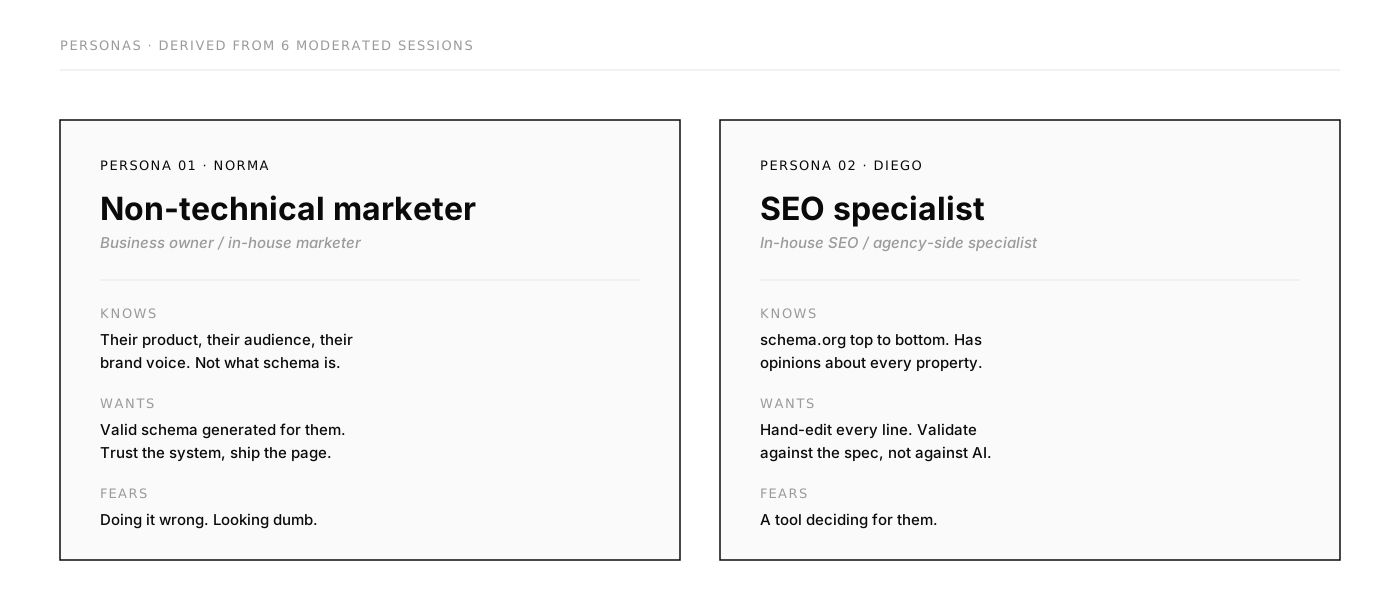
- Norma, a marketer, had heard of schema but never used it. She needed to know what it was for and wanted someone to do it for her.
- Diego, an SEO specialist, knew schema.org in depth. He wanted to write it himself and would not trust anything he couldn't check.
A flow designed for only one of them would push the other one away. But we didn't know what each of them actually needed.
We didn't know how to design it, so we asked
Nobody on the team had worked with schema, so guessing wasn't an option. Before any code was written, we ran 45-minute sessions with six internal subject-matter experts: people who do SEO every day, and people who explain it to customers. They stood in for Diego and Norma. I ran the sessions together with our PM, then wrote the usability report the team used to shape the PRD.
Participants: an SEO lead, two former SEO marketers from customer success and professional services, two support specialists and a designer. Some had basic experience with schema, some advanced.
How each session ran
SEO context
How they work on SEO today, and with whom.
"What do you usually do to improve SEO?"What is schema?
How familiar they are with structured data, and what they think it does.
"Have you ever heard of schema? What do you think it does?"Task: generate schema
A clickable Figma AI prototype and a scenario. Norma's: make a law firm's page more visible on Google. Diego's: give a coffee-beans product page complete, valid Product schema.
"How would you check if this is correct?"Task: add schema manually
Paste schema made in another tool and save it.
"What do you expect to happen when you save?"Wrap-up
How it felt, what was confusing, how useful it would be.
"Would you look for something like this, or expect the system to handle it?"We watched for six things: whether people understood what schema is, whether they could read the JSON output without help, how confidently they edited it, where they got stuck, whether they looked for a preview, and how they felt about it.
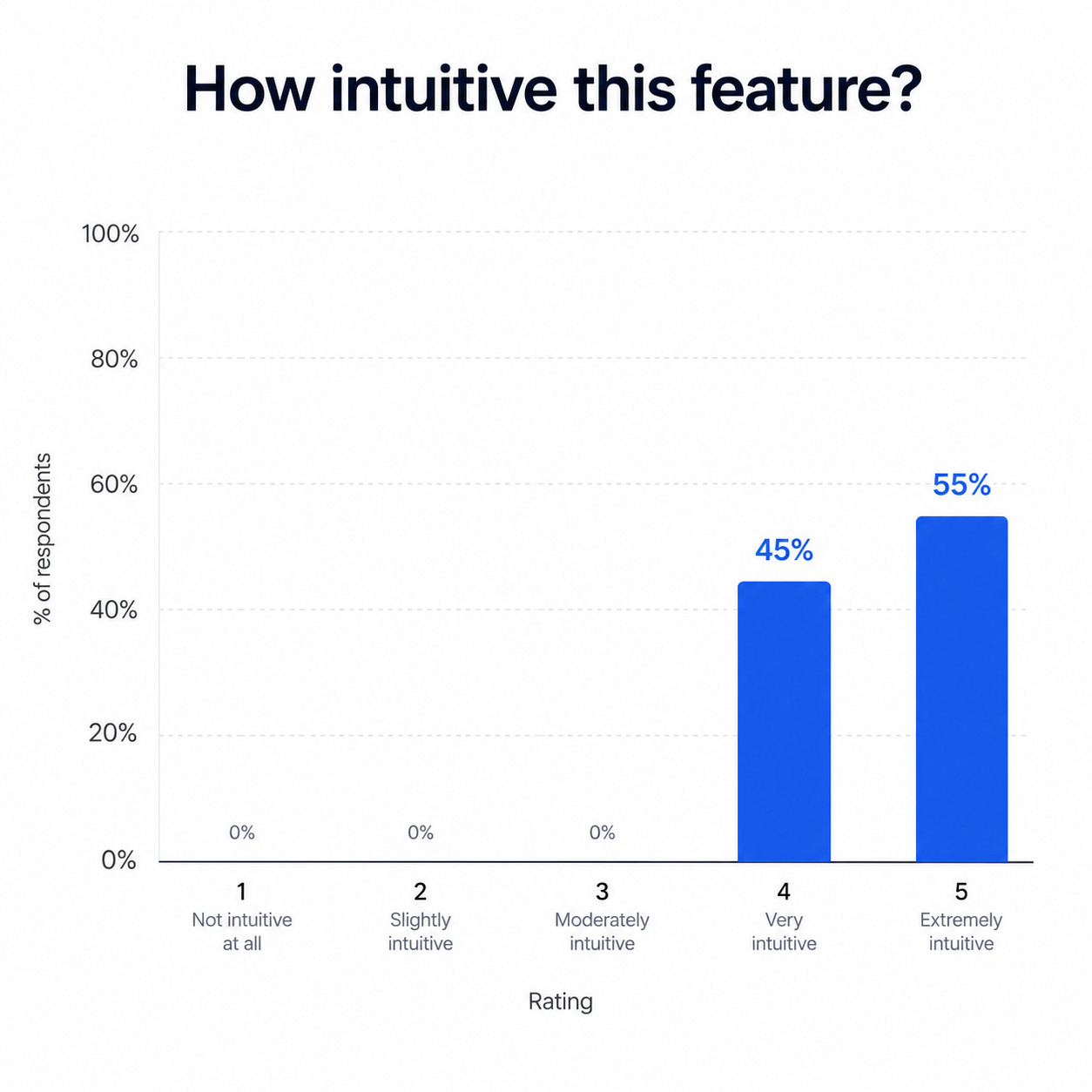
The flow itself landed well. Overall impression was 4 out of 5, and nobody rated it below 4 for how intuitive it was. What was missing wasn't layout. It was understanding and trust.
Every finding became a design decision
Schema felt technical
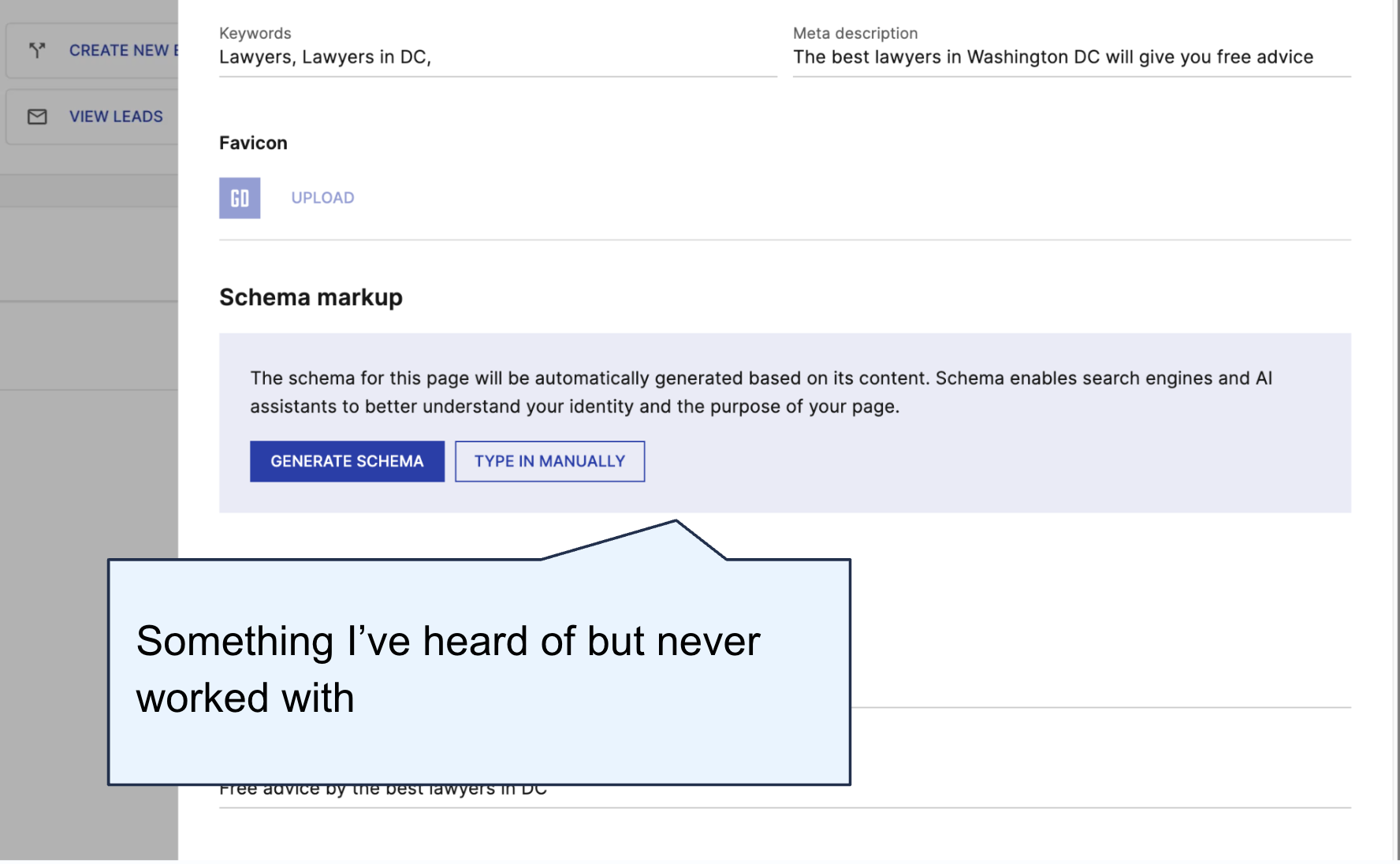
People knew schema mattered for SEO, especially with AI search, but few could say what it does. One participant connected it with page layout and headings.
Trust depended on experience
Experienced participants rated schema's importance 4–5 out of 5 and moved quickly. Newer ones were unsure how to describe or change anything. Experts also trusted generated schema more than their own manual entry.
"If I clicked generate, I trust it. If I did it manually myself, I don't trust it as much."
Participant · advanced experience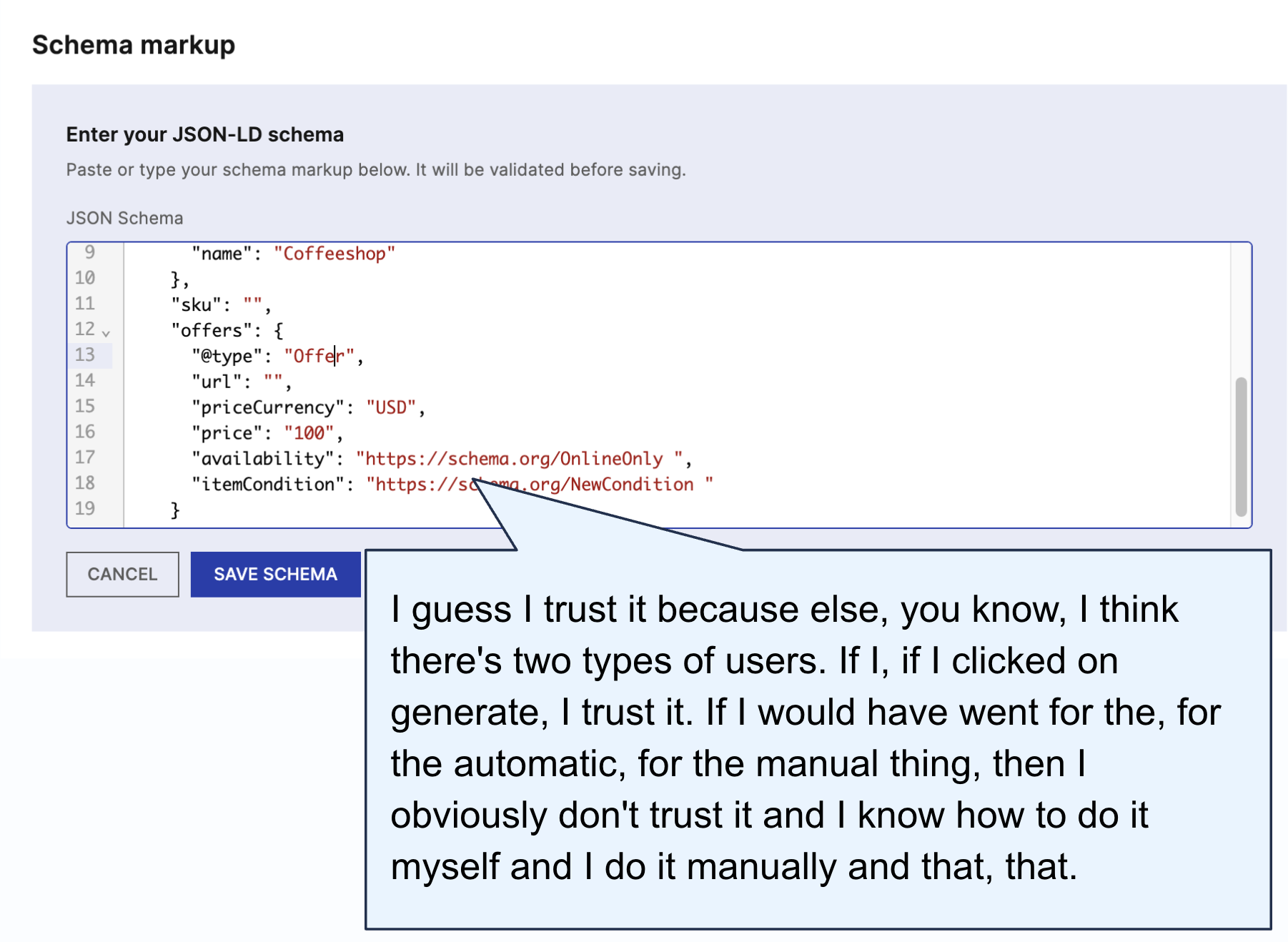
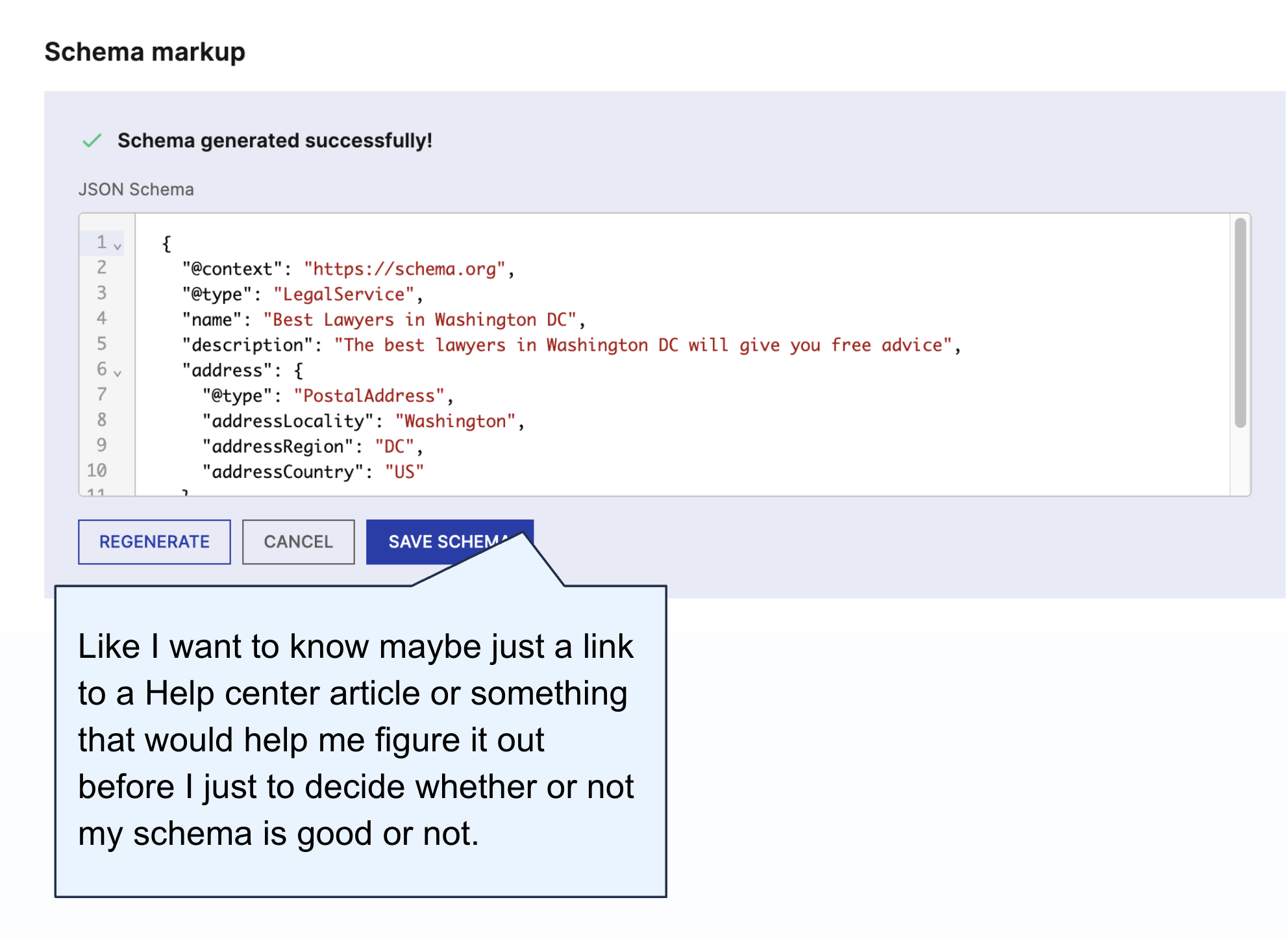
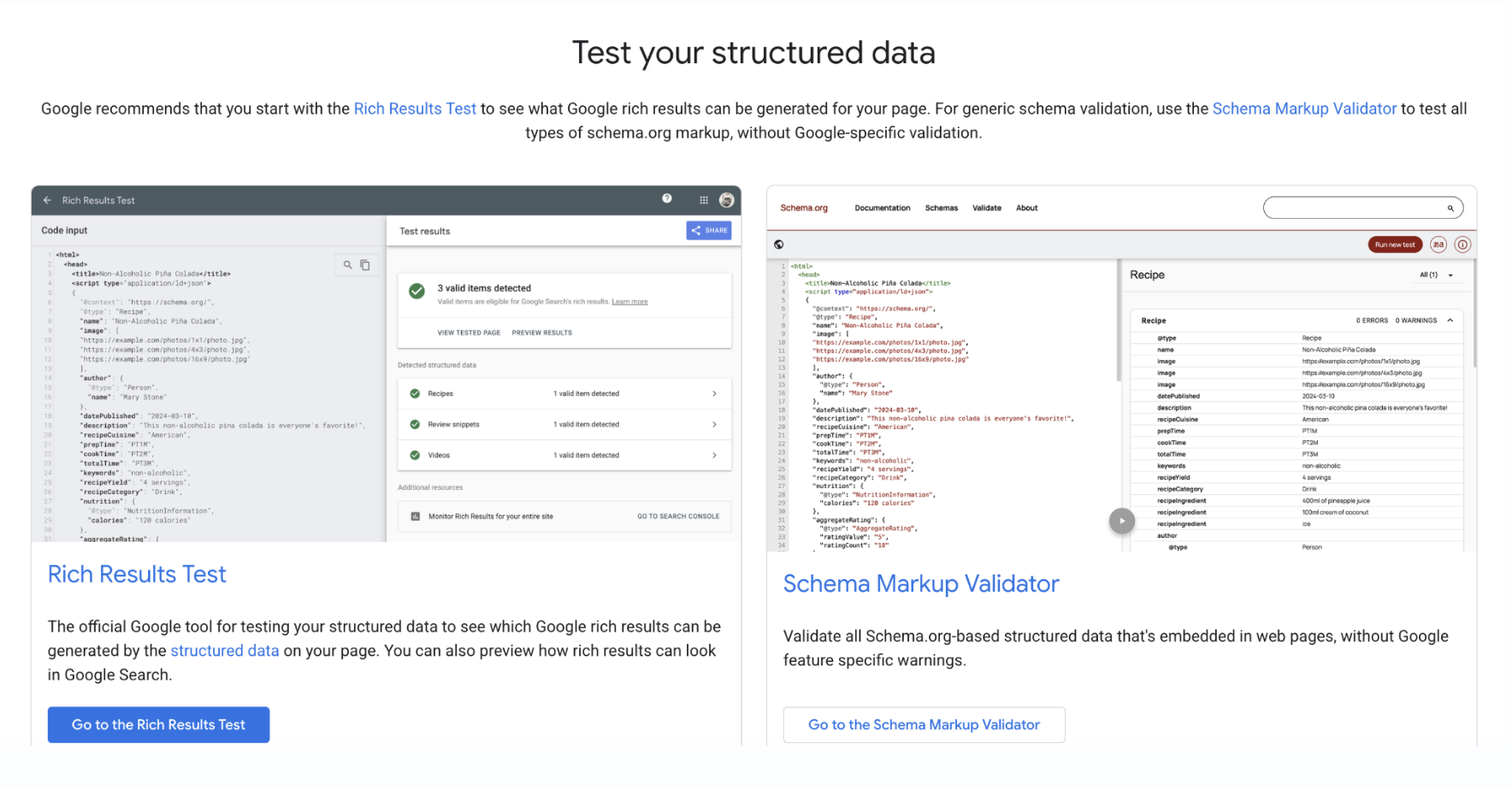
Checking happened somewhere else
To know whether schema was valid, people used ChatGPT, Google, separate validators, Search Console, Screaming Frog or Semrush. Newer users didn't know what "valid" really meant, and treated validation results as a way to learn.
The biggest fear: the wrong schema
People worried the AI would apply an irrelevant type, like LocalBusiness on a product page, and weren't sure whether they'd included all the required fields.
Save or publish?
Nobody could tell whether saving made the schema live. People expected it to work like tracking scripts, and liked the idea of a safe draft as long as it was clearly labelled.
From what we heard to what we built
Each of these would have been expensive after launch: support tickets, experts leaving for ChatGPT, live pages with broken schema. We caught them with a prototype.
Two doors, equal weight
The team wanted AI to handle everything. I pushed back. Experts are the loudest voices in any SEO community, and one bad AI output would cost us their trust. So neither path could be the secondary one.
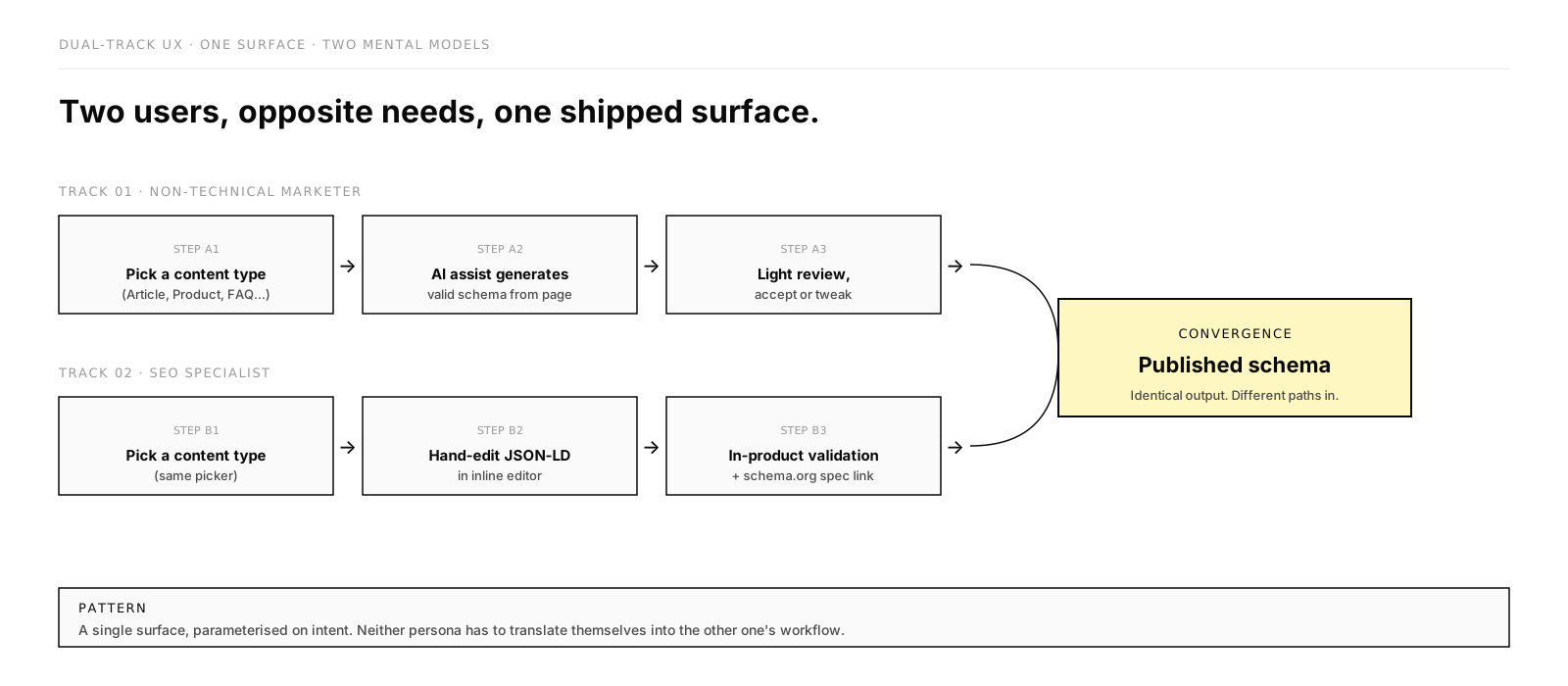
Marketers pick a page type, or let the AI detect it, and get schema generated for them. Specialists write or paste their own. Both paths end in the same editor, with the same review and validation step, before anything is saved. The only thing that differs is how the schema gets written.
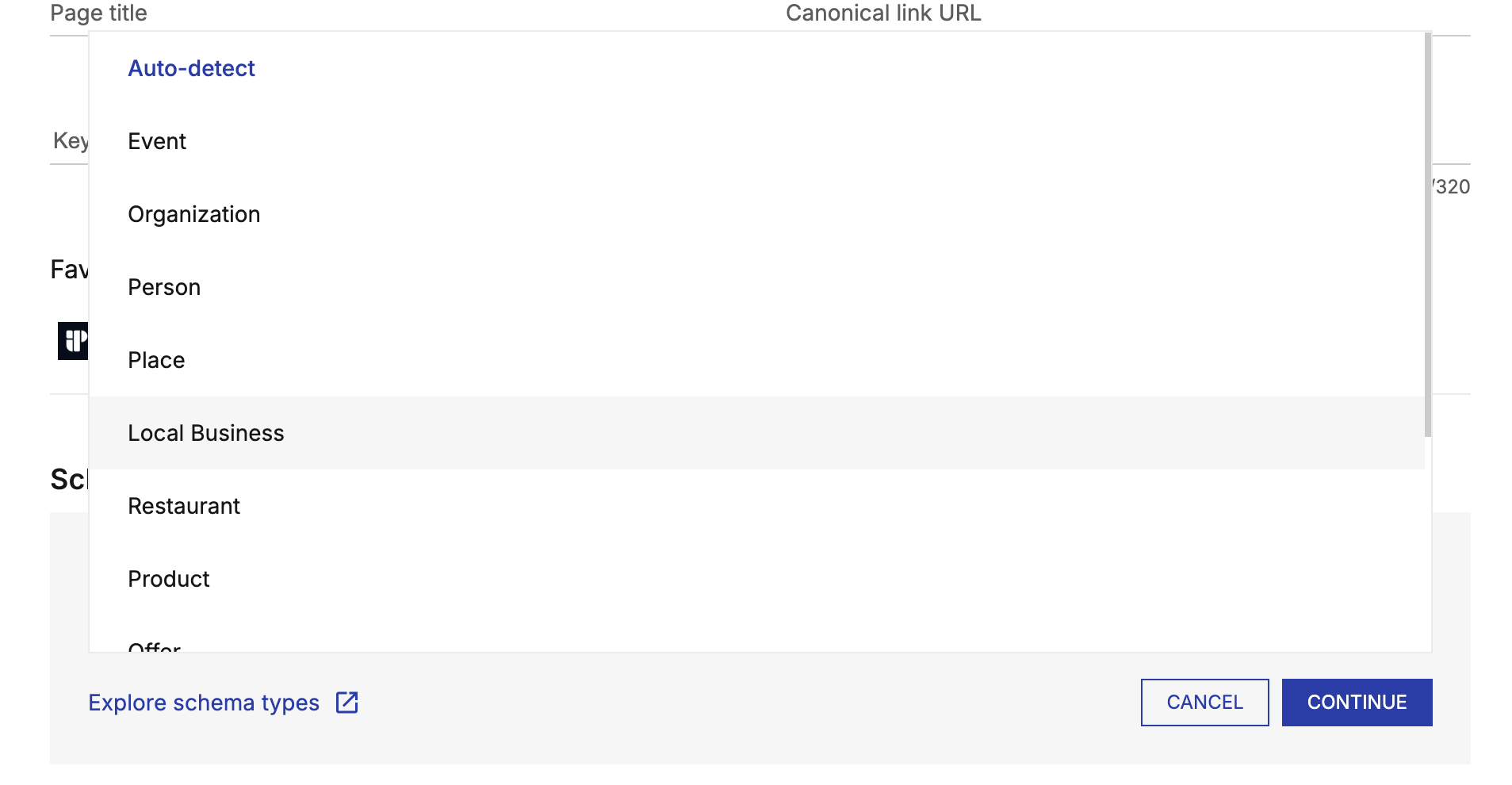
To keep the AI output reliable, I limited it to a curated list of page types instead of the full schema.org vocabulary.
The feature
Shipped UI, captured on demo pages. Published with permission; no customer data shown.
Two doors, equal weight
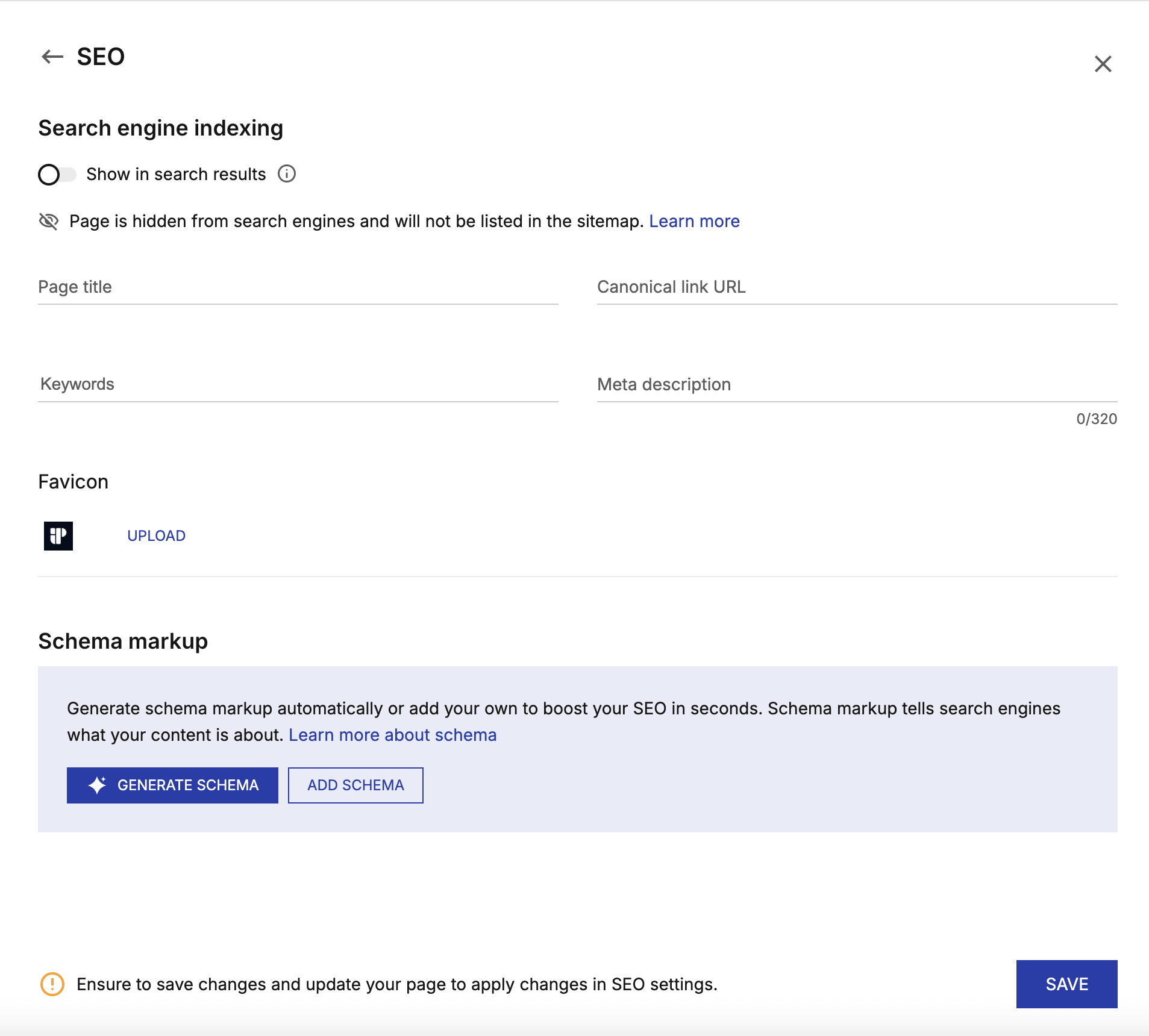
Generate schema and Add schema sit side by side in the page's SEO settings, under a plain-language explanation and a help link.
A short list of types
Page types set the boundaries for the AI. Auto-detect is the default for anyone unsure.
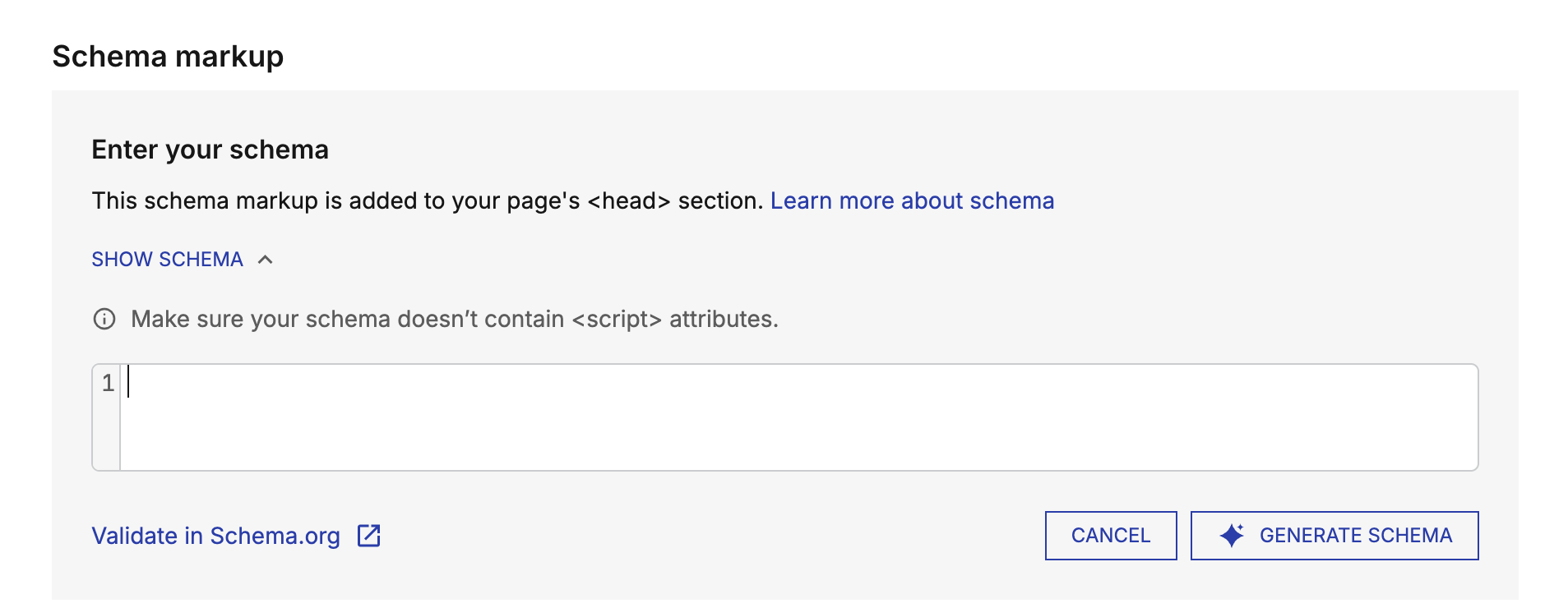
The manual door
Write or paste your own JSON-LD. A full path for experts, not a fallback.
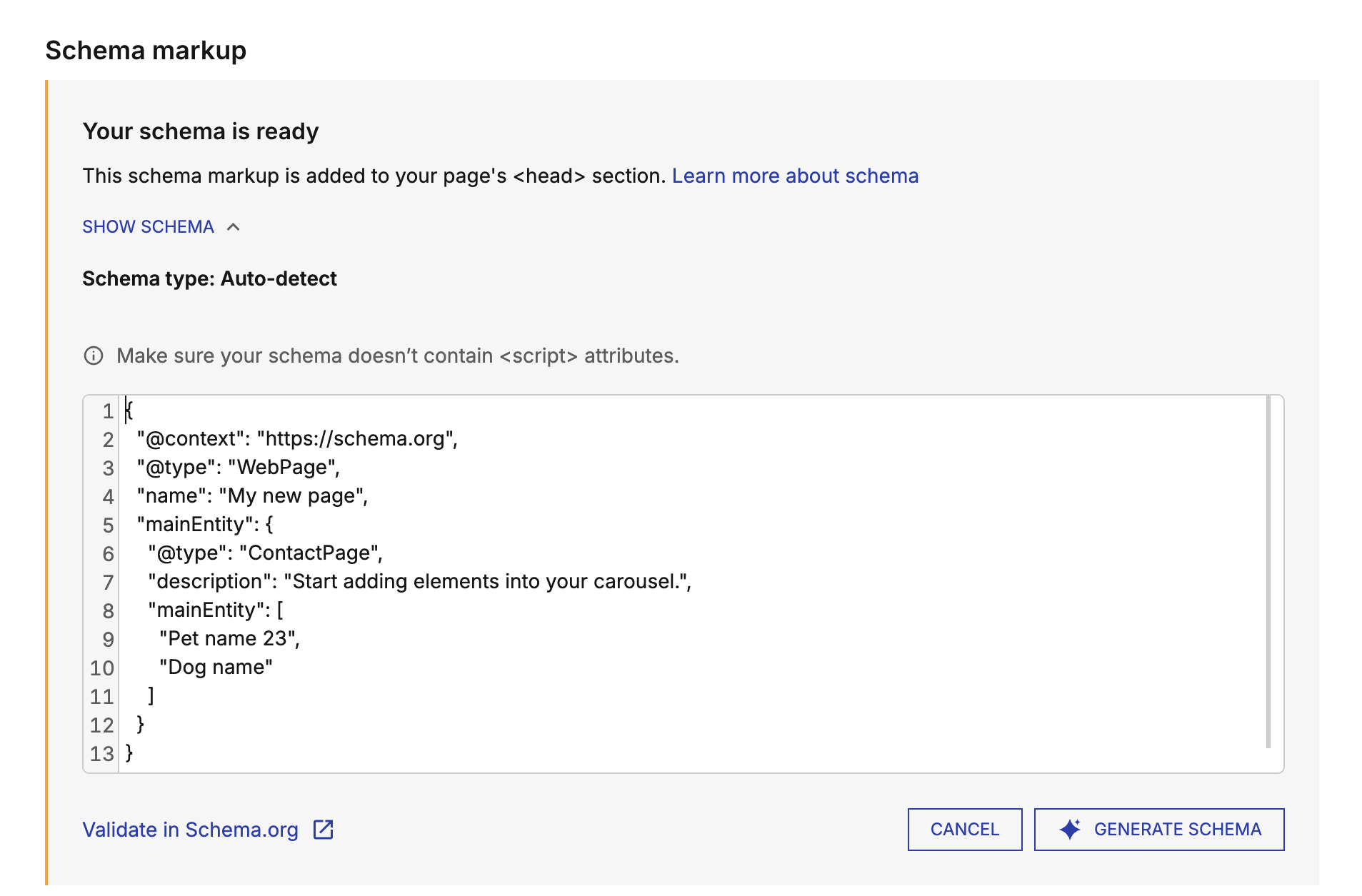
Review before saving
Generated schema lands in an editor first, not on the page. Experts can change it before saving.
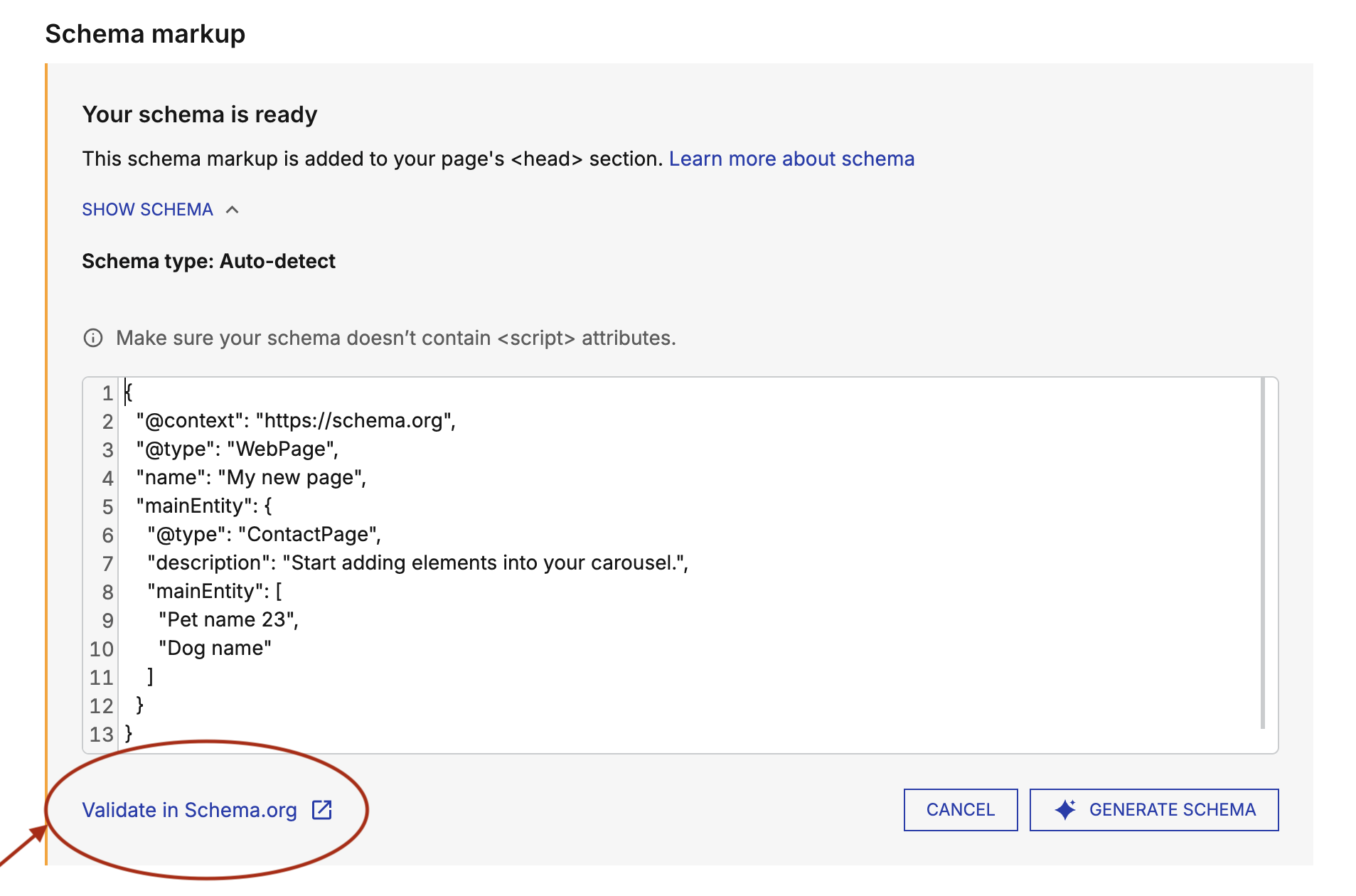
Validation built in
A note about common mistakes and a one-click check against the spec, without leaving the product.
Once people start, they finish
The type picker didn't become a bottleneck, and the review step answered the "can I trust this?" question.
The weak spot is getting people in. The flow works; the entry point needs to explain why it's worth starting.
What I'd do differently
- Test the entry point, not only the flow. The flow tested well and performs well. The low start rate shows I spent too little time on the copy that gets people in.
- Rank the handoff. The partner team built the core, but persona-specific copy and inline help didn't make it in. I hadn't marked what was essential, so the nuance was the first thing cut.
- Put help inside the product. Research asked for explanations at the point of action. Version one still links out to the help centre.