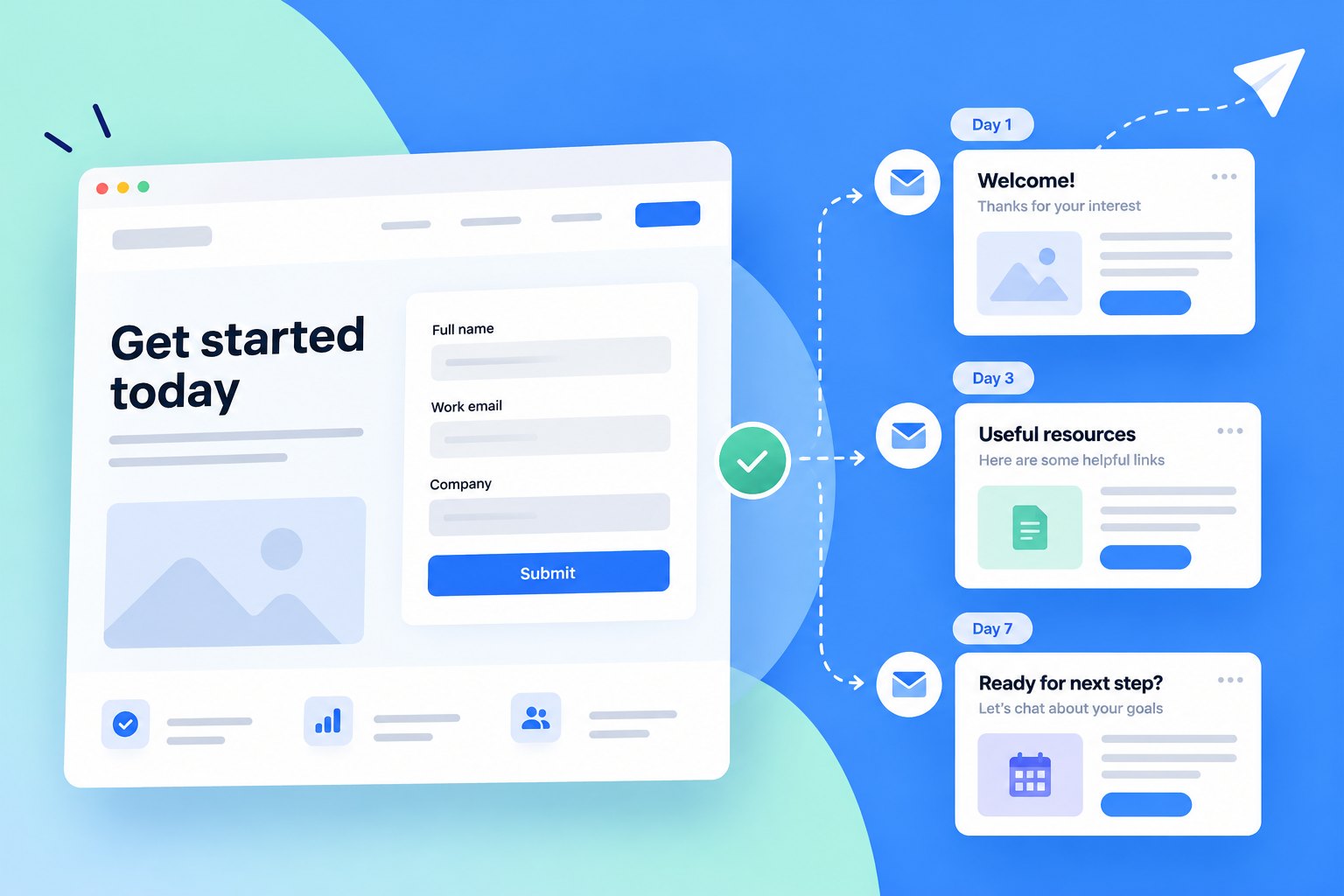
Users of a landing-page builder for marketing teams (Instapage) rarely set up follow-up emails — not by choice. The flow stranded them in an empty dropdown inside the form builder, sent them off to a separate email tool to create one from scratch, required them to manually flip on the "automated" status, and made them navigate back. I rebuilt it as a connected cross-product workflow: a clear entry point from the form, a new tab that opens directly in email creation, and templates that ship with automation already on. Activations doubled in the first weeks after launch.
Pre-launch baseline (21 Oct – 6 Nov 2025, two-week window): 10 accounts activated follow-up automation — 0.11% of total users, and only 2.4% of users who saved a form. After launch, that rate doubled.
The product is a landing-page builder used by marketers to launch campaigns quickly. The built-in email module lets a published landing page automatically email leads the moment they submit a form — the natural next step in any campaign. Together, they form the four-step pattern customers buy the product for:
On paper, every landing page should have a follow-up email. In reality, almost none did. The product existed, customers paid for it, and the feature sat idle. It was a textbook activation problem: a strategically important feature with near-zero adoption.
I dug into the funnel with our analytics and support teams, and into Hotjar session recordings for qualitative signal. Three things lined up:
Support tickets corroborated: seven separate tickets in the same two-week window asking how to set up a form submission follow-up. A feature that was advertised as simple was complicated enough that customers were asking humans for help.
| Step | Unique users | Conversion vs. prior step |
|---|---|---|
| Any product event (total active users) | 6,305 | — |
| Form added to a landing page | 122 | 1.9% of total users |
| Form saved to library | 424 | 6.7% of total users |
| Email automation activated | 10 | ≈ 8.2% of those who added a form to a page · 2.4% of savers · 0.11% of total |
Usage window: 21 Oct – 6 Nov 2025. Source: internal analytics + Hotjar qualitative review.
I mapped the existing flow end-to-end. Users started in the form builder, hit an empty "Select email" dropdown with no path forward, navigated away to a separate email tool, created an email from scratch, manually flipped the "automated" status, activated, and then re-found their way back to the form they'd left. Four of those steps were friction points where users actively dropped out.
The friction wasn't any single step — it was the cognitive cost of switching contexts. A marketer building a campaign was being asked to become an email author, then a workflow configurator, then a form editor again, in one sitting. Most stopped partway and never came back.
If we make follow-up automation visible, guided, and auto-enabled right after a form is created or added to a page, we will increase users sending automated emails by 3×.
The assumption we pressed the team on: our existing email product was good enough for at least 5% of users who already created and saved forms.
The team had an instinct to "redesign the email builder." I pushed back. The email builder wasn't the problem; the bridge between form and email was. Rebuilding the email tool would have consumed the roadmap and wouldn't have moved the metric we cared about. I broke the user journey into four specific friction points and designed one decision against each.
| # | Problem | Solution |
|---|---|---|
| 01 | Dead-end empty state. Users opened the email automation section inside the form builder and saw an empty "Select email" dropdown — no CTA, no guidance, no path forward. | A clear entry point inside the form settings panel. The CTA lives exactly where users already were, at the exact moment they'd just built a form — no more dead-end dropdown. |
| 02 | Cross-tool context switch. Users had to manually leave the form builder and navigate to the separate email section to create an email from scratch. | A new tab into the email creation flow, with the form tab preserved. Clicking "Create Email" opens a new tab directly in the email tool — the form context stays open in the background. Users come back with one tab click, not a re-navigation. |
| 03 | Hidden requirement. Users had to manually enable the "automated" status on the email and then activate it. Only automated emails could connect to forms — but the requirement was invisible. | Pre-automated email templates. When a user picks a template, the email is already wired up with automation enabled. They fill in the necessary fields and activate. The orchestration happens on our side. |
| 04 | Manual return path. After building and activating the email, users had to navigate manually back to the form builder to connect it — "where was that form again?" | The form tab stays open the entire time. One tab click brings users back — no re-navigation, no re-finding. The dropdown that was empty before is now populated with the new email, ready to connect. |
The biggest call: whether to treat follow-up email as a property of a form or as a first-class object with its own lifecycle. I argued for the first — at this stage of the product's maturity, the email doesn't need to exist without a form attached. Keeping the object model simple let us ship in weeks, not quarters, and we can split them apart later if the data supports it.
The new flow has eight actions, the old had eleven — a small numeric reduction. The real change is what was eliminated: the empty dropdown that stranded users, the cross-tool navigation that broke the form context, the hidden "automated" toggle users had to remember, and the manual journey back to re-find the form. Each of those was a place where users dropped out.
The form settings panel now shows follow-up automation as an explicit, visible option, with a Create Email CTA where the dead-end dropdown used to be. Clicking the CTA opens a new tab directly in the email creation flow — the form tab stays open in the background. Users pick a template first, build the email, and activate. The key move: every template ships with automation pre-enabled. Users don't need to know that "Enable automation" is a required step, hunt for the toggle, or remember to flip it. When they come back to the form tab, the dropdown that was empty is now populated with the new email, ready to connect.
In the weeks after launch, automated email activations approximately doubled against the pre-launch baseline. Support tickets related to follow-up email setup stopped arriving in the volume we'd seen before.
We had targeted a 3× lift. We got ~2×. I don't spin this as a win-win. Here's what I actually took from it:
I'd instrument the "email was added to a form" event before shipping. We were missing it, and had to reconstruct the metric after launch. Small oversight, real cost in measurement confidence.
I'd run a pre-launch usability test with users who'd already churned on the old flow. I leaned on Hotjar and support tickets for the diagnosis. They were enough — but five 30-minute interviews with actual former dropouts would have tightened the hypothesis and surfaced the awareness-at-other-points problem earlier.
I'd set a two-phase target. Writing "3× lift" as a single number assumed one intervention would close the gap. A two-phase plan — UX friction first, then email builder maturity — would have let us celebrate the 2× as the win it was, while framing the next cycle cleanly.